 Is Now Vyapar TaxOne | Same Trust, New Name!
 AI Weapon for Financial Soldiers
Vyapar TaxOne


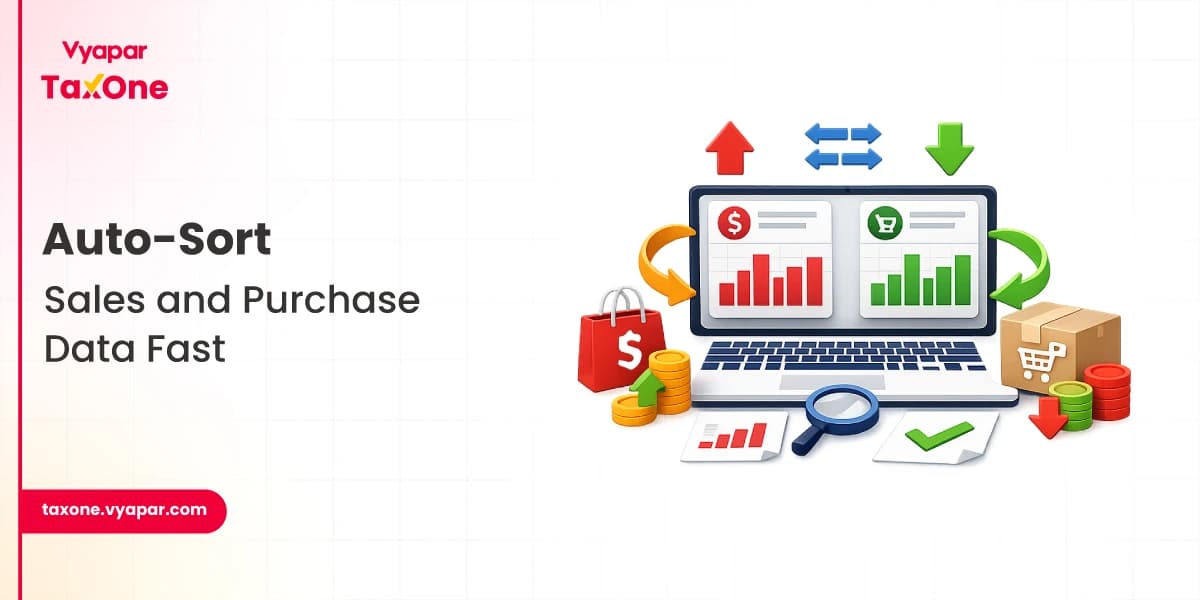
Every tax professional has faced this situation.
A client sends a single Excel sheet containing both sales and purchase invoices, mixed with unclear descriptions. Another client shares PDF invoices via WhatsApp, while a third uploads a folder of scanned bills with no structure.
Before the data even reaches Tally, accountants must spend hours manually separating transactions.
This is where the need to auto-segregate transactions in Tally workflows becomes critical.
In 2026, accounting practices are dealing with:
Manual sales purchase split and transaction classification is no longer efficient. Modern accounting workflows require automated combined invoice separation and bulk voucher sorting before importing data into Tally.
This blog explains the challenges of mixed transaction data and how solutions like Vyapar TaxOne help tax professionals automatically segregate sales and purchase data for Tally-based accounting systems.
Mixed transaction data refers to datasets where sales and purchase transactions are combined without clear categorisation.
This typically happens when businesses share raw financial data without an accounting structure.
For tax professionals, this creates a preprocessing task: identify the transaction type before posting vouchers in Tally.
Without proper separation, the risk of errors increases significantly.
Traditionally, accountants manually review and sort transactions before entering them into Tally. However, the volume and complexity of financial data have grown dramatically.
1. Time-intensive work
Accountants often spend hours reviewing Excel rows and PDF invoices before they even begin bookkeeping.
2. Higher error probability
An incorrect sales purchase split may lead to:
3. Peak-season bottlenecks
During GST return filing or financial year closing, manual sorting becomes a major operational bottleneck.
4. Staff dependency
Transaction classification often relies on experienced staff who understand invoice patterns and ledger behaviour.
If they are unavailable, work slows down.
These challenges have led firms to explore tools that can automatically segregate transactions for Tally workflows, reducing manual workload.
Incorrect classification between sales and purchase vouchers directly affects GST returns.
Errors may impact:
Automated transaction classification reduces these risks by standardising the sorting process.
Modern businesses generate data from multiple sources:
This leads to large datasets requiring bulk voucher sorting before Tally import.
Many clients submit:
These require combined invoice separation before they can be processed.
Accounting firms managing multiple clients simultaneously need workflows that scale.
Manual processing does not scale efficiently when firms handle hundreds or thousands of transactions per month.
In modern accounting practices, automation acts as a pre-accounting layer that prepares data before it reaches Tally.
Instead of manually reviewing every entry, systems can now:
Benefits of automated transaction segregation
This shift allows accountants to focus more on review, compliance, and advisory services, rather than manual sorting.
Vyapar TaxOne offers automation tools specifically designed for tax professionals working with Tally.
Vyapar TaxOne automates the segregation of sales and purchase data and transaction processing before accounting entries are created.
Key automation capabilities include
Vyapar TaxOne can process mixed datasets and perform combined invoice separation, identifying whether entries belong to:
This simplifies the sales purchase split process for accountants.
The system helps identify the nature of transactions through transaction classification logic, enabling accountants to process large datasets quickly.
This reduces the need for manual review of each invoice.
Tax professionals often deal with hundreds of entries at once.
Vyapar TaxOne enables bulk voucher sorting, allowing large datasets to be organised and prepared for accounting workflows.
Client data can come from:
The platform processes these formats and prepares structured datasets for Tally accounting workflows.
Tax professionals can integrate automation into their workflow using the following approach.
Step 1: Collect client data
Receive transaction data from clients in various formats:
Step 2: Upload or process the dataset
Use automation tools to scan and organise the files.
The system identifies transaction types automatically.
Step 3: Perform combined invoice separation
The software separates mixed records into:
This creates a clean sales purchase split before accounting entries.
Step 4: Validate exceptions
Accountants review unusual entries or unmatched transactions. This ensures professional oversight remains part of the process.
Step 5: Prepare Tally-ready data
After classification and bulk voucher sorting, the dataset is ready for use in Tally.
Step 6: Import into the accounting system
Structured data can then be used for:
Automation is especially beneficial in the following scenarios.
1. GST Accounting Firms
Firms managing multiple clients need efficient systems to segregate transactions in Tally automatically.
2. High-Volume Bookkeeping Practices
Businesses generating hundreds of invoices monthly benefit from bulk voucher sorting and automated transaction classification.
3. E-Commerce Accounting
Online sellers generate mixed financial records, including:
Automation simplifies the sales purchase split process.
4. Backlog Accounting Projects
When firms receive months of unsorted transaction data, automated combined invoice separation significantly reduces processing time.
Even when using automation tools, accountants should maintain strong internal controls.
Recommended practices:
Standardise client submissions Encourage clients to send structured Excel formats whenever possible.
Use automation for initial sorting. Allow systems to handle transaction classification and bulk voucher sorting.
Maintain review controls Accountants should always review exceptions before final posting.
Implement maker-checker workflows Important transactions should be validated before final accounting entries.
Create repeatable processes Build monthly workflows that automatically prepare data for Tally.
The role of accountants is evolving.
Instead of spending hours performing manual data sorting, professionals are increasingly focusing on:
Automation tools that auto-segregate transactions for Tally enable this shift by eliminating repetitive data preparation tasks.
Solutions like Vyapar TaxOne help modern accounting firms streamline workflows by automating:
This leads to faster accounting cycles and improved compliance readiness.
Adopting systems that auto-segregate transactions for Tally workflows allows accounting firms to improve efficiency, reduce errors, and scale their operations.
Automation platforms such as Vyapar TaxOne provide practical tools to process mixed financial datasets, enabling automated combined invoice separation, sales-purchase split, transaction classification, and bulk voucher sorting before the data reaches Tally.
For tax professionals looking to modernise their workflows in 2026, integrating automation into transaction processing is becoming an essential step toward faster, more accurate, and scalable accounting practices.
It means automatically separating mixed sales and purchase data before creating vouchers or importing records into Tally.
A proper sales-purchase split helps reduce classification errors, improve GST accuracy, and make reconciliation easier.
Yes, combined invoice separation reduces manual sorting effort and speeds up bookkeeping for high-volume client data.
Vyapar TaxOne automates transaction classification, sales-purchase split, and bulk voucher sorting for Tally workflows.
Yes, it is especially useful for large Excel files, PDF invoices, and mixed transaction records that need faster processing.

Tax Professional & Business Finance Expert
Tax Professional & Business Finance Expert
Tax Professional & Business Finance Expert