Is Now Vyapar TaxOne | Same Trust, New Name!
 AI Weapon for Financial Soldiers


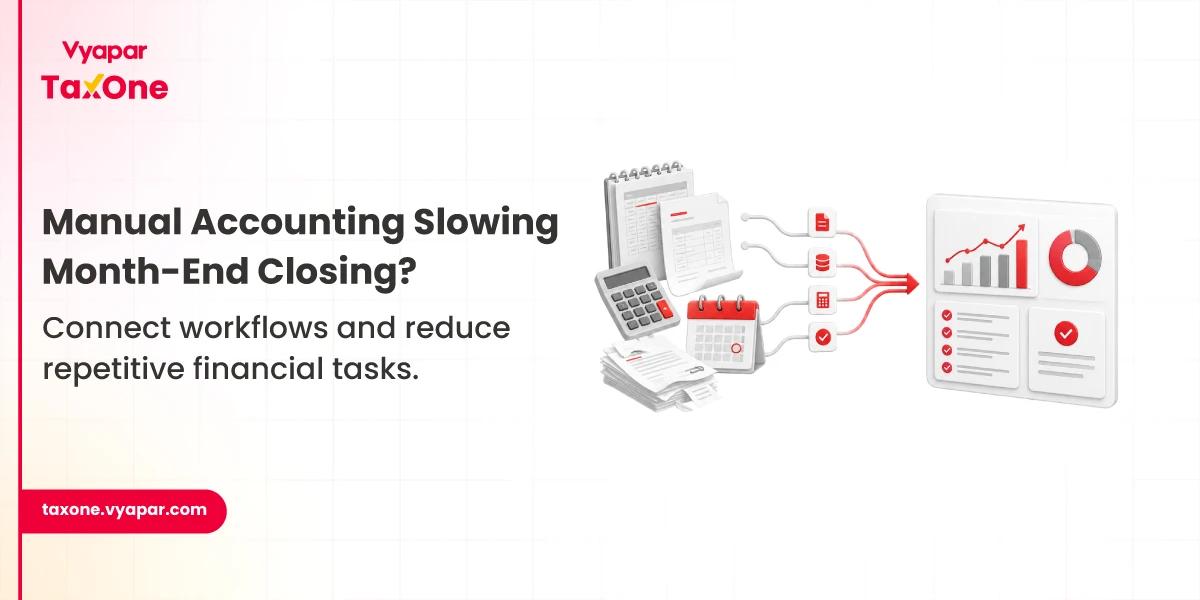
As businesses grow, accounting rarely becomes difficult because of the ERP itself. The challenge usually comes from everything happening around it.
Sales data may come from one system, inventory updates from another, while bank transactions, invoices, and GST records are maintained separately. Before finance teams can even begin reconciliation, someone has to collect all this information, check whether it matches, prepare Excel files, and upload the data into the ERP.
This process might work when transaction volumes are low. But once the business starts handling thousands of invoices every month or operates across multiple GST registrations, these manual steps start adding up.
We've often seen accounting teams spend more time preparing data than actually reviewing it. A missing ledger mapping, an outdated Excel sheet, or a duplicate upload can easily delay month-end closing by a couple of days.
Most of these delays come from disconnected workflows rather than the ERP itself. Manual Excel uploads, repeated ledger mapping, delayed document sharing, and data coming from multiple business systems make month-end closing more time-consuming than it needs to be.
Integrating accounting automation with ERP systems helps connect these disconnected processes, so finance teams spend less time preparing data and more time reviewing financial information and completing reconciliation.
One of the biggest advantages of integrating accounting automation with ERP systems is that finance teams no longer have to repeat the same routine work throughout the accounting cycle.
Instead of downloading reports, cleaning Excel files, checking ledger mappings, importing data, and validating entries multiple times, much of this work follows a more consistent process.
That doesn't remove the accountant's role. It simply reduces the amount of repetitive processing that happens before actual review and reconciliation.
As a result, accounting teams spend more time investigating exceptions instead of handling routine data movement.
A manufacturing company operating across four GST registrations processes more than 5,000 purchase invoices every month.
Before data reaches the ERP, the accounting team spends two to three days validating Excel files, reviewing ledger mappings, and resolving duplicate entries.
As invoice volumes grow, these preparation activities often become the biggest bottleneck in completing month-end accounting on time.
Reliable financial reporting depends on every department working with the same financial data. When sales, inventory, and accounting records aren't updated consistently, finance teams spend additional time validating reports before month-end closing, GST reconciliation, or audits. Connecting accounting automation with ERP systems reduces this manual comparison, allowing teams to focus on reviewing actual accounting exceptions instead of verifying data from multiple sources.
Many reconciliation problems don't actually start during reconciliation.
They start days, or sometimes weeks, earlier.
A missing invoice, an incorrect ledger mapping, or a transaction that wasn't imported properly often goes unnoticed until the finance team begins matching records.
By then, deadlines are much closer, and fixing the issue usually takes longer because multiple departments become involved.
When accounting automation is connected with ERP workflows, it's easier to identify these gaps earlier in the accounting cycle instead of discovering them all at month-end.
A trading business expands from a single location to five GST registrations, increasing monthly transactions to more than 8,000 invoices.
Each branch maintains supporting records separately before sending them to the central accounts team.
When reconciliation begins, the finance team spends almost a week identifying missing documents, checking duplicate entries, and confirming ledger classifications before GST returns can be prepared.
The challenge isn't the transaction volume, it's keeping accounting data consistent before it reaches the ERP.
Many of these reconciliation delays become easier to manage when invoice matching and GST validations are automated. Learn more in our guide on AI-Powered GST Reconciliation.
Compliance becomes easier when accounting data is complete before the filing cycle begins. In practice, GST returns and financial reports are often delayed not because of tax rules, but because finance teams are still waiting for missing invoices, correcting ledger mappings, or validating accounting entries before reporting can begin.
We've seen this happen frequently during GST return preparation. A report may look complete until someone notices that a batch of purchase invoices was uploaded late or a ledger was mapped incorrectly. The team then has to revisit the entire reconciliation process before returns can be filed.
When accounting automation works alongside an ERP, accounting data moves through a more structured workflow. That means fewer manual corrections before reporting and better confidence that the figures being reviewed are based on the latest available records.
As businesses expand, accounting doesn't just involve more transactions. It also involves more branches, more GST registrations, more vendors, and more people contributing data.
Many finance teams find that processes which worked well a year ago become difficult to manage simply because the volume has increased.
Without a structured workflow, accounting teams often respond by adding more manual checks. While that may solve immediate issues, it also increases the workload every month.
Integrating accounting automation with ERP systems helps businesses handle growing transaction volumes without multiplying repetitive accounting tasks.
A distributor operating from one warehouse opens three additional branches within a year. Monthly transactions increase to more than 12,000 invoices, and each location shares accounting data independently.
The finance team now spends three to four extra days every month consolidating records, checking whether uploads are complete, and resolving duplicate accounting entries before financial reports are finalised.
Most accounting teams don't notice workflow gaps during day-to-day operations.
The real problems usually surface when reconciliation, reporting, or compliance work begins.
Some of the most common issues include:
We've often seen these issues appear only after businesses start processing higher transaction volumes. What feels manageable with a few hundred entries becomes much harder when thousands of records need to be reviewed within a limited reporting window.
Sales, purchase, inventory, and payment data are recorded through the respective business systems.
Finance teams review the data and move it into the ERP through a structured process instead of repeated manual uploads.
Instead of checking every transaction, accountants focus on missing documents, unmatched entries, or ledger issues that need attention.
With cleaner accounting data available, reconciliation, compliance, and financial reporting can be completed with fewer last-minute corrections.
If several of these situations sound familiar, the challenge may not be the ERP itself. It may be the way accounting information moves between systems before reaching the ERP.
Most businesses already have an ERP system, but disconnected workflows, manual Excel handling, and repeated data validation can still delay reconciliation and month-end closing. As transaction volumes grow, many accounting teams move towards more structured workflows that reduce repetitive processing while improving reporting accuracy.
This is the kind of workflow challenge that structured systems like Vyapar TaxOne are built to address in accounting environments. Instead of replacing your existing ERP, they help simplify the movement of accounting data, reduce repetitive processing, and make reconciliation and financial reporting easier to manage as transaction volumes grow.
As accounting workflows become more structured, businesses also benefit from consistent reporting processes. Our article on Automate Financial Reporting explains how automation improves reporting accuracy and reduces month-end effort.
If your team is spending more time preparing accounting data than analysing it, it may be the right time to evaluate whether your current workflow can support future growth. Vyapar TaxOne is one example of how accounting teams are moving towards more structured, connected workflows while continuing to work with their existing ERP systems.
An ERP manages accounting data, but it doesn't eliminate the manual work happening before data reaches the system. When teams still rely on Excel, repeated validations, and manual imports, month-end closing continues to take longer than expected.
In most cases, reconciliation issues don't start on the day reconciliation begins. They develop gradually as transactions move through different systems.
We've often seen accounting teams discover missing invoices, duplicate entries, or incorrect ledger mappings only during GST reconciliation or financial closing, when deadlines leave very little time for corrections.
As transaction volumes increase, manual processes that once seemed manageable start creating bottlenecks. Reviewing Excel files, validating imports, checking duplicate entries, and matching records across multiple systems takes considerably longer when businesses begin processing thousands of invoices every month or expand across multiple GST registrations.
Duplicate entries usually point to workflow gaps rather than ERP limitations.
For example, the same data may be imported more than once, source files may not be updated before reprocessing, or different teams may unknowingly work on separate versions of the same records. These issues become more noticeable as accounting activity grows.
Most businesses don't feel the need for change when transaction volumes are low. The need usually becomes clear when finance teams start spending more time preparing accounting data than reviewing it, reconciliation begins taking several extra days, or month-end closing repeatedly gets delayed because information is spread across multiple systems.


Get started today and simplify your accounting process!