Is Now Vyapar TaxOne | Same Trust, New Name!
 AI Weapon for Financial Soldiers


Most Accounting Delays Don’t Start in Accounting Software
In most CA firms, the issue is not accounting software.
The issue starts much earlier, when data enters the system.
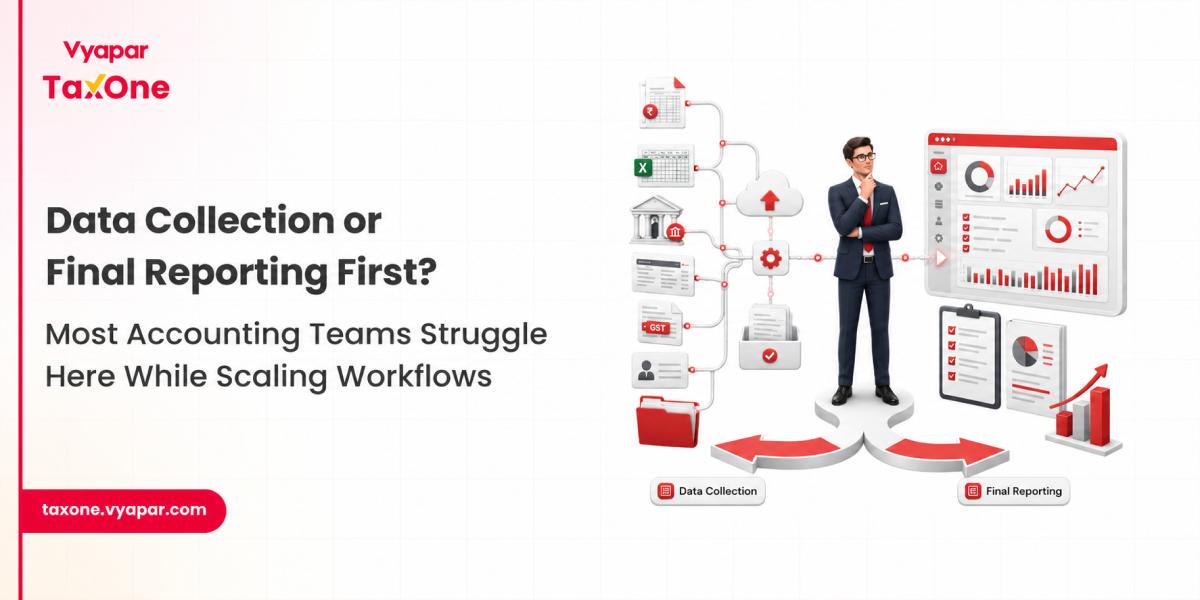
Invoices arrive through WhatsApp, email, PDFs, vendor portals, and Excel files. By the time they reach Tally or ERP, teams are already spending hours cleaning, reformatting, and validating.
We often see accounting teams spending more time preparing data than actually completing books or GST filings.
That is where the real confusion begins.
Do you fix data before accounting entry?
Or rely on accounting software to handle everything?
Pre-accounting software works before entries reach Tally or ERP systems.
In real workflows, it is used for:
We regularly see teams using pre-accounting steps even without formal tools, just Excel templates and manual checks.
Because raw data is rarely usable as-is.
Accounting software like Tally or ERP systems handles structured financial processing.
Once data is clean, it supports:
But there is a practical limitation most firms face:
Accounting software assumes data is already correct.
If incorrect or unstructured data enters, errors multiply downstream.
We often see reconciliation issues not because of accounting mistakes, but because input data was never validated properly.
| Area | Pre-Accounting Layer | Accounting Software Layer |
|---|---|---|
| Stage | Before entry | After entry |
| Focus | Data structuring | Financial reporting |
| User | Ops teams, assistants | Accountants, CAs |
| Output | Clean invoice data | Financial statements |
| Risk | Wrong data entering system | Wrong reporting output |
This gap between data preparation and reporting is exactly what modern accounting automation systems are designed to solve in real workflows.
Most firms don’t struggle because of tools.
They struggle because the handover between these two stages is broken.
From real accounting workflows, we consistently see:
We often see these issues only surface during GSTR-2B matching or month-end closing pressure.
These mismatches eventually show up during GST filing and GSTR-1 reconciliation with books of accounts, especially when invoice-level data is not properly aligned before entry.
A CA practice managing 28 clients across retail and service sectors processed a high-volume monthly cycle.
In one month:
Average delay before Tally entry: 4-6 days per batch
What happened inside the workflow:
The issue was not accounting software.
It was unstructured data entering too late in the cycle.
A manufacturing company using Tally for all accounting processes faced repeated GST mismatch issues.
In one quarter:
What caused the issue:
The accounting system was correct.
The input layer was not controlled.
A mid-sized CA firm managing 40+ clients noticed a recurring pattern.
Across one cycle:
What actually happened:
Most effort was spent fixing data, not closing books.
We frequently see:
This becomes visible only during GST filing or audit preparation.
Step 1: Data Capture
Invoices collected from email, WhatsApp, and portals
Step 2: Structuring
Invoices converted into standard format
Step 3: Validation
GSTIN, invoice number, vendor mapping checked
Step 4: Accounting Entry
Data entered into Tally or ERP.
Step 5: Reconciliation
GSTR-2B, books, and ledgers matched
Most delays happen before Step 3, not inside accounting software.
If yes to more than two, workflow dependency is high on manual correction.
We often see these issues surface during audit preparation or GST notices.
We regularly work with CA firms and accounting teams handling high-volume transaction workflows across multiple clients.
In most cases, the challenge is not the accounting system itself.
It is everything that happens before data reaches the accounting system.
In real workflows, this shows up in very practical ways:
This is why structured workflows become critical as transaction volume increases.
We often observe that the real issue is not accounting accuracy at the reporting stage, but inconsistency in how data enters the system in the first place. In many firms, this gap remains hidden because Excel or manual checks silently act as the processing layer.
This is where systems like Vyapar TaxOne come into play for accounting teams. The focus is not on replacing accounting software, but on improving what feeds into it.
It helps teams:
Over time, firms tend to realize that most reconciliation and closing delays are not created during accounting; they are created much earlier in the workflow, at the point where raw data is first collected and validated.
This is why structured intake and validation processes are becoming increasingly important for CA practices handling high transaction volumes, especially where manual correction cycles slow down month-end closure.
Because the issue often originates before entry, at the invoice structure level, not accounting logic.
Yes. Accounting software assumes clean input data, which rarely happens in real workflows.
Because mismatches usually come from inconsistent invoice data, not system errors.
Data cleaning and correction before entries, not reporting itself.
Between receiving invoices and entering them into accounting software.
Yes. In most firms, Excel still acts as the hidden processing layer.
It can record entries, but not structure or validate incoming data at scale.



Get started today and simplify your accounting process!