Is Now Vyapar TaxOne | Same Trust, New Name!
 AI Weapon for Financial Soldiers


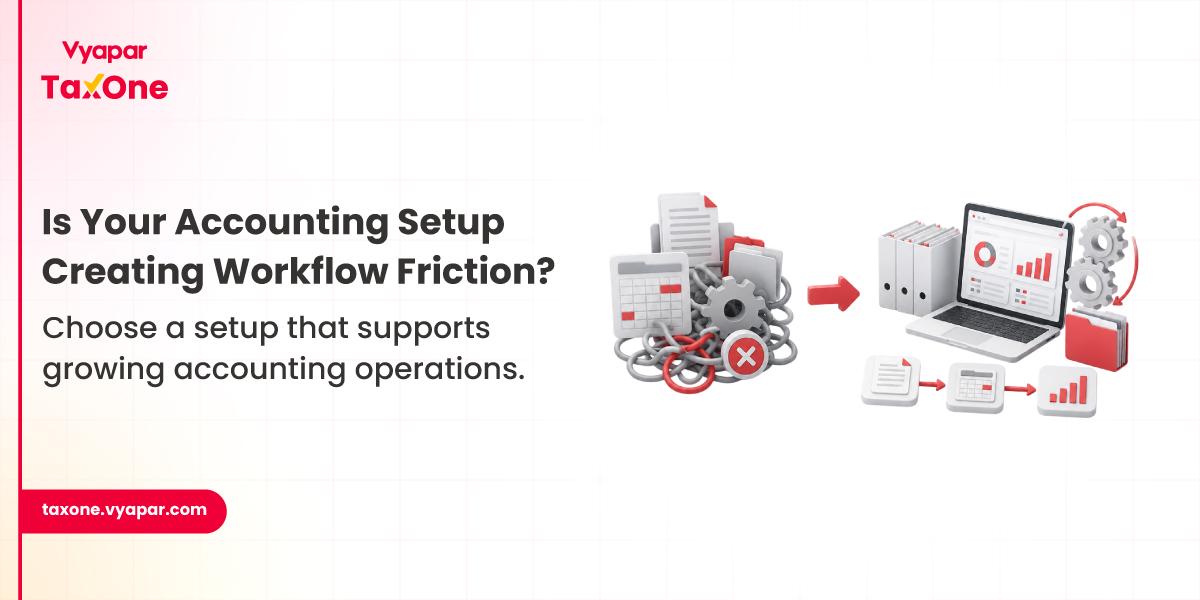
Most CA firms don't rethink their accounting setup until something starts slowing the team down.
It could be the month-end closing, taking longer than expected because only one person has access to the accounting system. Or maybe partners need to review reports while travelling, but the files are sitting on an office desktop. Sometimes the opposite happens. Firms move to cloud software expecting smoother operations, but later realize that internet dependency, workflow changes, or customization limitations also need to be considered.
The debate isn't really about cloud versus desktop.
It's about whether your firm's current setup supports the way your team actually works.
Instead of asking which option is universally better, it helps to ask a different question:
Which setup creates fewer operational bottlenecks for your firm's day-to-day work?
Cloud and desktop accounting software perform the same core accounting functions, but the way work moves through the firm can be very different.
With desktop software, the application and data are generally accessed from specific systems within the office environment. That works well for firms where work follows a fixed location and controlled access is a priority.
Cloud accounting changes how teams access accounting information. Authorized users can generally work on the same set of accounting records from different locations, provided internet connectivity and permissions are in place.
Neither approach is automatically better.
The right choice depends on questions like:
These operational questions usually have a much bigger impact than feature lists.
If your firm is still evaluating different deployment models, these key questions before choosing cloud accounting software can help you assess your operational requirements before making a decision.
Looking at everyday accounting operations makes those differences much easier to understand.
| Operational Area | Cloud Accounting | Desktop Accounting |
|---|---|---|
| Team accessibility | Multiple authorized users can access the same data remotely. | Access is usually tied to specific office systems or configured for remote access. |
| Collaboration | Partners, accountants, and clients can review information without exchanging multiple files. | Teams often rely on file sharing, backups, or transferring data between systems. |
| Software updates | Updates are generally managed by the service provider. | Firms usually plan and perform updates themselves. |
| Data backups | Backup processes are commonly managed by the provider, depending on the solution. | Backup responsibility remains with the firm. |
| Internet dependency | Requires stable internet connectivity for regular access. | Day-to-day work can continue without the internet in most desktop environments. |
| Report customization | Depends on the software and available configuration options. | Often preferred where extensive local customization is required. |
| IT Infrastructure | Lower dependency on internal hardware management. | Requires firms to maintain systems, storage, and hardware infrastructure. |
Desktop software may continue supporting operations effectively.
A centralized workstation, fixed review process, and limited collaboration requirements often make desktop environments practical.
However, if only one system contains the latest accounting data, bottlenecks can develop whenever multiple people need access.
For example:
If all three depend on the same workstation, work begins to pile up.
Many firms now review returns from client offices, respond to notices while travelling, or coordinate work between branch offices.
In these situations, cloud-based environments often reduce delays because authorized users can access the same working data without waiting for files to be transferred.
The benefit isn't simply remote access.
It's reducing interruptions caused by version control, duplicated files, and delayed approvals.
The challenges usually don't appear immediately.
They become noticeable as client volume increases.
Some common examples include:
Neither list makes one option superior.
They simply reflect different operational trade-offs.
As firms grow, the accounting setup that worked well for a smaller team doesn't always support increasing client volumes, larger teams, or more collaborative ways of working. In our experience, firms rarely start reviewing their accounting setup because they're unhappy with the software itself. More often, the discussion begins after repeated delays during month-end closing, GST filing, or partner reviews.
These operational challenges are often the same reasons why growing CA firms start facing workflow bottlenecks as client volumes and team sizes increase.
We've seen firms manage comfortably with desktop accounting while handling a smaller client base. But as more accountants, article assistants, and partners begin working on the same assignments, routine tasks like sharing accounting data, reviewing reports, and tracking changes gradually start taking longer than expected.
This is usually the point where firms stop comparing software features alone and begin evaluating whether their accounting setup supports collaboration, data access, reconciliation, and compliance activities as the practice continues to grow.
The challenges rarely come from accounting itself; they usually come from how work moves between people and systems.
Some of the most common issues include:
Most firms don't notice these problems during normal weeks.
They become visible only when hundreds of invoices, multiple clients, and strict filing deadlines come together.
During GST week, everyone needed the same data.
A CA firm handling around 70 active GST clients was preparing returns during the monthly filing cycle.
The accounting team, review manager, and partners all needed access to client books during the same two-day period.
Since the accounting data could only be accessed from a limited office setup, work had to move one stage at a time.
As a result:
The accounting itself wasn't the issue. The team's way of working simply couldn't support multiple people accessing the same information at the same time.
Rather than asking which software is "better," experienced firms generally evaluate their operational requirements.
Consider questions like:
If everyone works from one office with clearly defined responsibilities, desktop software may continue supporting operations effectively.
If partners, accountants, or clients regularly need access from different locations, cloud-based access may reduce coordination delays.
A single accountant managing a client's books has very different requirements from a team where data entry, reconciliation, review, and approval happen across multiple people.
As collaboration increases, workflow management often becomes more important than individual software features.
Some firms depend on highly customized reports or established desktop workflows that have evolved over several years.
Changing those processes simply to move to the cloud may not always provide immediate operational benefits.
Growth changes workflow requirements.
Adding more accountants, serving additional GST registrations, or expanding into advisory services usually increases the need for structured collaboration and easier access to information.
Rather than starting with software features, many firms begin by reviewing how work actually moves through the team.
Step 1: Review how accounting work currently moves across your team.
Step 2: Identify where delays happen, such as data access, reviews, approvals, backups, or collaboration.
Step 3: Determine whether those delays are process-related or caused by your existing setup.
Step 4: Compare whether cloud or desktop software better supports your firm's actual workflow.
Step 5: Test the solution with a small group before making firm-wide changes.
This approach usually leads to better long-term decisions than choosing software based only on pricing or feature comparisons.
Before changing your accounting setup, ask your team:
✔ Can multiple team members access accounting data without delays?
✔ How are backups created, verified, and restored if needed?
✔ Does the current workflow support partner reviews outside the office?
✔ Are report versions controlled properly?
✔ How much time is spent coordinating files instead of reviewing accounting work?
✔ Will the chosen setup still support operations if the firm's client base grows over the next few years?
✔ Does the software integrate with the other systems your team already depends on?
These questions often reveal operational gaps that feature comparisons alone don't highlight.
Once you've identified those gaps, the next step is understanding how to build the right technology stack for your accounting firm, so your accounting software, compliance tools, and workflow systems work together effectively.
When firms compare cloud and desktop accounting software, the conversation usually starts with features and pricing.
But after a while, that's not what people talk about.
The real discussion becomes,
"Why are month-end reviews taking longer?" or "Why are we still chasing the latest version of the data?"
That's when you realize the software isn't always the problem; it's how work moves through the team.
As your client base grows, more people get involved in the same assignment. One person is posting entries, another is reconciling ledgers, someone else is reviewing reports, and partners are waiting for approvals. If the workflow isn't built to support that, even small delays start adding up during GST filing and month-end closing.
We've seen firms continue with desktop software because it fits the way their teams work. We've also seen firms move to cloud-based systems once collaboration, remote access, and faster reviews became everyday requirements.
There isn't a universal right choice.
The better option is the one that helps your team complete work with fewer bottlenecks, whether that's accessing data, reviewing reports, or coordinating across multiple people.
As firms grow, many also start looking for more structured ways to manage accounting and compliance activities without adding unnecessary complexity. That's where Vyapar TaxOne naturally fits into the conversation. If you're reviewing your firm's current processes, you can explore Vyapar TaxOne to see how it supports structured accounting workflows.
Not necessarily. The right choice depends on how your firm operates rather than which option is newer. If multiple team members regularly work on the same client, partners review work remotely, or collaboration happens across locations, cloud accounting can make those workflows easier. On the other hand, firms with a centralized office setup, highly customized reporting requirements, or strict internal data policies may find that desktop accounting continues to meet their operational needs just as effectively.
Most firms don't make the switch simply because cloud software is available. They usually start evaluating it when operational challenges become more frequent. If your team spends more time sharing files, waiting for access to accounting data, or coordinating reviews during month-end and GST filing, it's worth assessing whether your current setup is still supporting the way your firm works.
Yes. Many firms choose a hybrid approach instead of replacing one system completely. For example, they may continue using desktop software for certain accounting processes while using cloud-based systems where collaboration and remote access are more important. The decision depends on your firm's workflow, client requirements, and internal processes rather than following a single approach.
Before switching, identify where delays are actually occurring. If your team spends more time sharing files, waiting for data access, or coordinating reviews than completing accounting work, those operational issues should drive the decision. Also consider data migration, compatibility with your existing systems, and how easily your team can adapt to the new setup.
Absolutely. Desktop accounting continues to work well for many firms, particularly where work is handled from a single office, internet connectivity is inconsistent, or customized reports are an important part of the accounting process. The real question isn't whether the desktop is outdated; it's whether it still supports your firm's current workflow without creating unnecessary delays.
The signs usually become visible during busy compliance periods rather than routine work. If teams regularly wait for access to accounting data, partners struggle to review reports on time, different versions of the same files start circulating, or month-end closing consistently takes longer than expected, it's often an indication that the workflow needs attention. At that point, reviewing whether your current accounting setup still fits the way your team operates can help prevent those issues from growing as the firm expands.



Get started today and simplify your accounting process!