Is Now Vyapar TaxOne | Same Trust, New Name!
 AI Weapon for Financial Soldiers


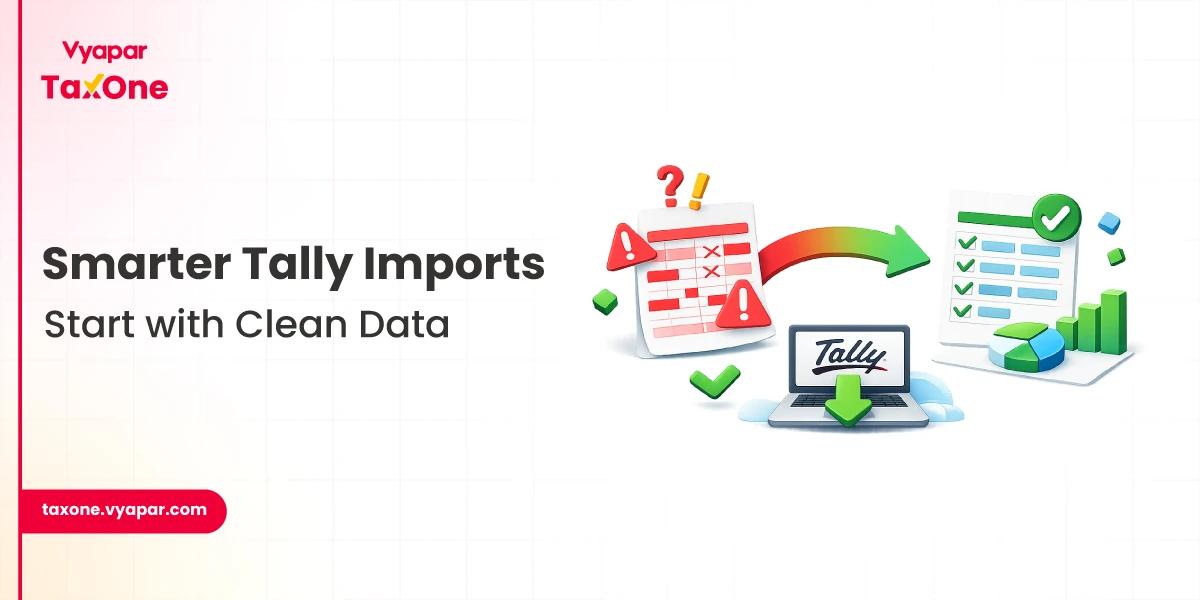
If your team regularly works with Excel-to-Tally imports, even a single hidden symbol, extra space, or encoding mismatch can break the entire process.
For Indian tax professionals, this is more than a minor formatting issue. It can delay bookkeeping, create ledger mismatches, disrupt GST workflows, and add pressure during compliance deadlines.
In 2026, the problem is growing as accounting data moves across invoices, bank statements, OCR tools, Excel files, billing software, and Tally more frequently.
This guide explains why Tally import special characters cause failures, how to identify the root issue, and the fastest ways to fix it. It also shows how automation tools such as Vyapar TaxOne can help reduce manual cleanup and improve Tally-ready data handling at scale.
Special characters do not always mean dramatic symbols.
In practice, they often include smart quotes, non-breaking spaces, copied punctuation from websites or PDFs, line breaks inside cells, accented characters, unusual separators, hidden tabs, emojis, or text saved in the wrong encoding.
In many cases, the file looks clean to the human eye but still fails during import. That is why Excel-to-Tally errors often appear at random.
A purchase register may import correctly for 180 rows, then fail on row 181 because one vendor name contains a hidden character copied from an email signature or a scanned invoice. A ledger may seem identical, yet Tally treats it as different because of spacing variation or unsupported punctuation.
This is where character encoding issues and inconsistent text formatting become real operational problems rather than mere theoretical concerns.
For tax firms, the impact is practical and immediate: failed imports, partial imports, duplicate ledgers, broken narration, incorrect voucher creation, and extra reconciliation work before GST filing.
Most import issues begin before Tally. Excel files often contain formulas, merged cells, pasted web text, or inconsistent delimiters. A CSV may appear normal in one system but carry encoding or separator issues in another. This is a common reason that data sanitization Tally processes should happen before import, not after a failure.
When books are prepared from PDFs, scanned bills, WhatsApp invoices, email attachments, marketplace exports, and bank statement tools, the data structure becomes inconsistent. One supplier may use plain ASCII text, while another invoice introduces hidden symbols from a PDF extraction tool.
In many Indian firms, client data passes through several hands: client staff, accountants, article assistants, data entry operators, and reviewers. Without a standard naming rule, one party enters "ABC & Co.", another enters "ABC and Co", and a third pastes "ABC & Co. " with a trailing hidden space. Tally may not interpret those as the same value.
You should suspect text-level corruption when:
When this happens, do not assume the entire dataset is bad. In many cases, the issue is limited to a few fields such as party name, item description, address, narration, or invoice reference.
Hidden formatting and copied characters
Data copied from PDFs, websites, banking portals, and emails often carries invisible formatting. These values can cause imports to fail even when the visible text appears acceptable.
Unsupported punctuation and inconsistent naming
Symbols such as slashes, unusual dashes, curly quotes, decorative punctuation, and inconsistent abbreviations create mapping problems. This is especially risky when the same ledger must be matched across books, GST data, and reconciliations.
Encoding mismatch
Among the most overlooked character encoding issues are files saved in the wrong text format. If the source file uses an incompatible encoding, special characters may be interpreted incorrectly during import.
Dirty source data
If you do not clean invoice data before import, the system inherits every inconsistency from the source. That includes blank spaces, line breaks, spelling variations, formula outputs, and mixed-language text.
First, identify where the error is happening. Do not mindlessly review the full file. Check the fields most likely to cause failure:
This narrows the investigation quickly.
If some rows were imported and some were not, compare them carefully. Look for differences in punctuation, spacing, line breaks, hidden tabs, copied quotes, and inconsistent abbreviations. Often, the problem is not the whole column. It is one or two abnormal entries.
This is the core Data sanitization Tally step. Before import:
This is also the point where you should clean invoice data from PDFs, OCR output, and mixed client submissions.
Set a firm-wide standard for ledgers, stock items, and party names. Keep names readable, but system-safe. The goal is not decorative formatting. The goal is predictable import behaviour and reliable mapping.
For example, decide in advance how your team will handle ampersands, abbreviations, branch identifiers, punctuation, and spacing.
Never run a full import first. Use a small batch and confirm that:
This simple step prevents avoidable mass errors.
Build an internal record of recurring import issues. Over time, your team will notice patterns such as:
A documented exception log speeds up future cleanup.
Vyapar TaxOne is relevant here because its automation is built around reducing manual data preparation before Tally import.
It converts invoices and statements into Tally-ready data, maps client data, smart-tags entries, and enables single-click verification via Tally integration.
It also includes GST automation, 2B reconciliation support, mismatch alerts, client document collection and follow-ups, practice management, WhatsApp automation, and Tally integration across plans.
For tax professionals, that matters in three ways.
Better source-data handling
When invoice and statement data are standardized earlier in the workflow, the risk of broken imports drops. This is especially useful when handling high-volume purchases and bank entries.
Less manual copy-paste
Manual copy-paste is one of the biggest sources of hidden characters. Automation reduces those touchpoints, which helps lower Tally import special characters problems before they reach the import stage.
Faster verification instead of raw typing
Vyapar TaxOne's workflow emphasizes automation, cross-checking, and verification, not repeated manual entry. That can save time while also reducing avoidable data-formatting mistakes.
Special characters are among the most underestimated causes of Tally import failures. They waste review time, create duplicate masters, distort data quality, and increase compliance stress during filing cycles.
For Indian tax professionals, the solution is not only to fix the broken row. It is to build a repeatable process for Data sanitization in Tally, reduce Excel-to-Tally errors, clean invoice data before import, and eliminate recurring character encoding issues at the source.
Where transaction volume is high, automation can make that process far more reliable.
Vyapar TaxOne's Tally automation is built around exactly this need: converting invoices and statements into Tally-ready data, enabling smarter data mapping, and reducing manual entry workload around accounting and GST workflows.
These are visible or hidden characters in source data that interfere with import quality, such as smart quotes, unusual punctuation, non-breaking spaces, line breaks, unsupported symbols, or encoding-related text corruption.
Because many import issues are caused by hidden formatting, copied web text, line breaks, or encoding mismatches that Excel does not visibly show.
Standardize text, convert formulas to values, remove hidden spaces and unsupported symbols, normalize naming, and test a sample import before uploading the full file.
Yes. If text is interpreted differently during import, Tally may treat visually similar names as separate values, leading to duplicates or mapping failures.
Vyapar TaxOne automates invoice and statement conversion into Tally-ready data, maps and smart-tags data, integrates with Tally, and supports GST-related workflows such as reconciliation and mismatch handling.

Get started today and simplify your accounting process!