Is Now Vyapar TaxOne | Same Trust, New Name!
 AI Weapon for Financial Soldiers


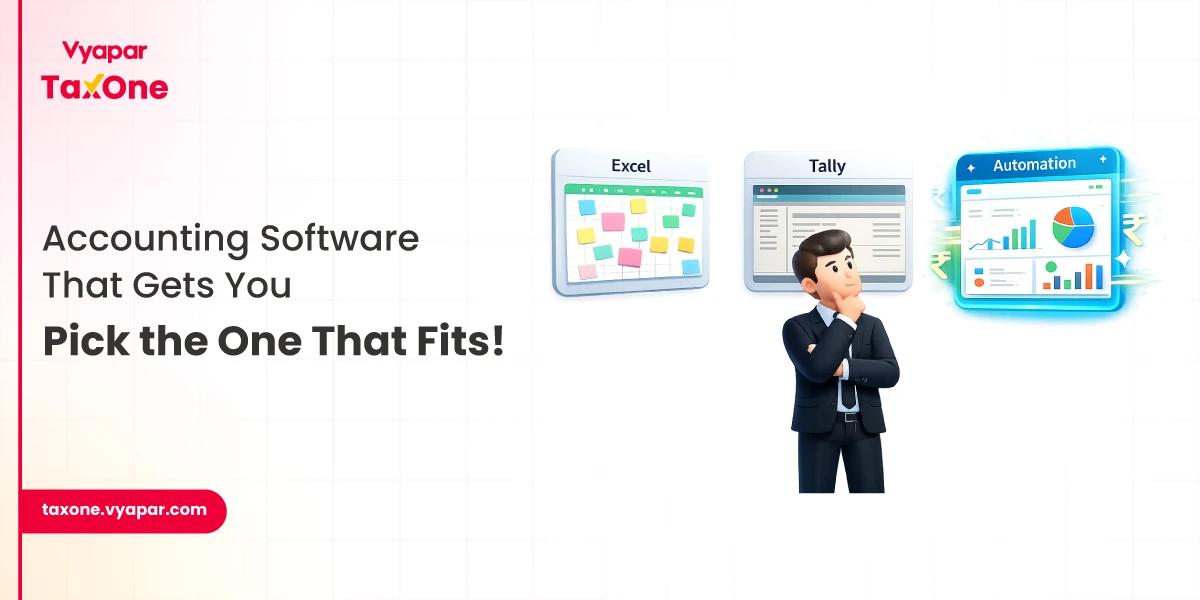
Accountants today use a mix of cloud accounting platforms, GST-compliance tools, bookkeeping software, and workflow automation solutions, depending on the size of the business, reporting complexity, and compliance requirements.
Some of the most commonly used accounting software options include QuickBooks, Tally, Zoho Books, Xero, and FreshBooks. In India, accountants often also look for tools that support GST workflows, reconciliation, reporting accuracy, and integration with existing accounting systems.
The best accounting software is not the same for every accountant. A solo practitioner may need simple invoicing and bookkeeping, while a CA firm or finance team may need automation, multi-client handling, audit trails, and tax-focused workflows.
In this guide, we'll look at the main types of accounting software accountants use, compare popular options, explain which features matter most, and show how to choose the best one for your business or practice.
There is no one-size-fits-all accounting software. Accountants usually choose software based on business size, compliance requirements, reporting needs, and how their team works.
Cloud accounting software is widely used because it allows accountants to access financial data from anywhere. It works well for remote teams, multi-location businesses, and firms that need faster collaboration with clients. It is also easier to update and maintain compared to many older systems...
Desktop accounting software is still used by businesses that prefer to store data locally or follow more traditional accounting workflows. While it may offer control over local data storage, it can be less flexible for collaboration and remote access.
Some businesses need software built for their industry. Retail, manufacturing, e-commerce, and service-based businesses often require features such as inventory tracking, payroll support, project billing, or order-linked accounting workflows.
Larger firms and businesses with more complex finance operations may need customizable software. These tools can support advanced reporting, role-based access, custom workflows, and integrations with other systems. They usually cost more, but they can be useful when standard tools no longer fit the process.
Instead of asking which type is best in general, accountants should ask which type best matches their workflow, compliance obligations, and growth plans.
Accountants use different software depending on their client profile, business size, and reporting requirements. Here are some commonly used options and where they typically fit best:
| Software | Best For | Key Strengths | Things to Consider |
|---|---|---|---|
| QuickBooks | Small to mid-sized businesses | Invoicing, expense tracking, payroll, integrations | May not suit every region’s compliance workflow equally |
| Tally | Indian businesses and accountants | GST support, stock management, reporting, familiarity in India | Interface and workflow may feel traditional for some users |
| Zoho Books | Small businesses and growing teams | Automation, tax workflows, project billing, value for money | Some advanced needs may require a broader software stack |
| Xero | Businesses needing collaboration and integrations | Real-time reporting, app ecosystem, usability | Fit depends on region, pricing, and team workflow |
| FreshBooks | Freelancers and service businesses | Time tracking, invoicing, expense management | Better for lighter accounting use cases |
| Vyapar TaxOne | CAs and accountants needing GST-focused automation | Data entry automation, reconciliation support, integration-led workflows | Best evaluated when GST-heavy or workflow automation is a core need |
Each tool solves a different problem. For example, QuickBooks is often chosen for general accounting workflows, Tally remains important for many Indian accounting environments, and Zoho Books is popular with small businesses looking for automation at a competitive price point.
For accountants working in GST-heavy environments, software selection often depends less on brand popularity and more on whether the tool can reduce manual reconciliation, improve reporting accuracy, and fit into the existing finance process.
If you are comparing tools for your firm, focus on practical fit: compliance support, reporting depth, integration flexibility, automation, ease of use, and how well the software handles your current workload.
When choosing the right software, accountants usually look for the following features:
The right accounting software depends on the needs of the accountant, the business, and the complexity of the financial workflow.
1. Size of the Business or Firm
A small business or solo accountant may need simple bookkeeping, invoicing, and tax-ready reports. Larger firms usually need more advanced controls, custom reporting, team permissions, and automation across multiple clients or entities.
2. Budget
Budget plays a major role in software selection. Some businesses prefer low-cost subscription tools, while others are willing to invest more in software that reduces manual work and saves time at scale. It is important to compare the total value, not just the starting price.
3. Business Needs
Different businesses need different capabilities. Some may require payroll, inventory, multi-currency support, or advanced reporting, while others may mainly need invoicing and expense tracking. The software should match the real workflow, not just look impressive on a feature page.
4. Local Compliance
Compliance requirements can strongly influence software choice. In India, many accountants prioritise software that supports GST-related processes, reporting accuracy, reconciliation workflows, and local accounting standards.
Accounting software is evolving quickly, and newer tools are increasingly focused on reducing repetitive work and improving visibility.
While trends are useful to watch, accountants should avoid choosing software based on trends alone. The best software is still the one that improves accuracy, supports compliance, and fits the workflow consistently.
Choosing the right accounting software can save time, reduce errors, and make financial management much easier. Use this simple process when comparing your options:
1. Define Your Core Needs
Start by identifying what you need the software to do. Do you need basic bookkeeping, GST support, payroll, reporting, reconciliation, or multi-client management?
2. Prioritise Must-Have Features
List the features that are non-negotiable for your workflow. These may include automation, tax compliance, integrations, reporting, or user access controls.
3. Check Compatibility with Your Existing Systems
Your accounting software should work smoothly with the tools you already use, such as payroll software, invoicing systems, ERPs, spreadsheets, or banking workflows.
4. Compare Total Cost
Look beyond the base subscription price. Consider implementation time, onboarding effort, add-ons, support, and the cost of switching later.
5. Test the Software with Real Tasks
Use free trials or demos to check how the platform handles actual accounting work, such as creating invoices, importing data, generating reports, and reconciling transactions.
6. Think About Future Growth
Choose software that can support your business as it grows. A tool that works today but fails under higher transaction volume or more complex reporting may create problems later.
The best choice is usually the one that balances usability, compliance, reporting, automation, and long-term fit.
Many accountants use tools such as QuickBooks, Tally, Zoho Books, Xero, and FreshBooks, depending on business size, reporting needs, and compliance requirements.
The best software for a small business depends on the workflow. Some businesses need simple invoicing and bookkeeping, while others need GST support, inventory management, or automation.
Cloud software is usually better for remote access, collaboration, and easier updates. Desktop software may work well for businesses that prefer local data storage or traditional workflows.
Accountants should prioritise ease of use, automation, compliance support, reporting, integrations, scalability, and data security.
Yes. Many accountants use multiple tools together, especially when they need separate systems for bookkeeping, tax compliance, payroll, reporting, or reconciliation.
Also Read:

Get started today and simplify your accounting process!