Is Now Vyapar TaxOne | Same Trust, New Name!
 AI Weapon for Financial Soldiers


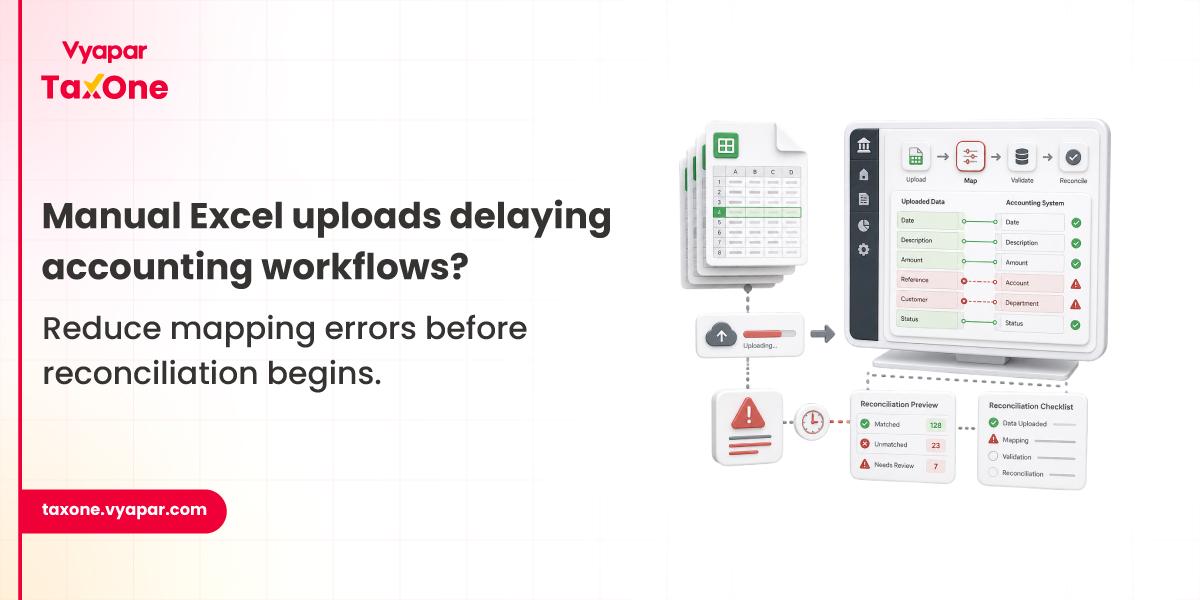
For most accounting teams, Excel remains the starting point for transaction processing.
Sales teams export invoices in spreadsheets. Purchase teams maintain vendor records in Excel. Bank reconciliations are often prepared separately. Eventually, all of that data needs to be imported and synced into Tally for final accounting closure.
This is where workflow delays begin.
The delay rarely comes from entering data itself. The bigger challenge begins when accounting teams validate that the data is correctly structured before it reaches Tally.
The real issue arises when finance teams manually map ledger fields, validate GST values, check stock entries, and correct import errors before the month-end close.
In firms handling high transaction volume, even a small mapping mistake can delay reconciliation cycles by days.
We see this regularly in accounting environments where teams still depend heavily on Excel-based uploads.
In day-to-day accounting operations, Excel imports into Tally usually happen during:
The process looks simple initially.
But once transaction volume increases, manual field mapping becomes one of the biggest operational bottlenecks.
Especially when different teams maintain data in different Excel formats.
In most accounting workflows, the actual delay does not begin during data preparation.
It usually begins when teams start mapping Excel columns against accounting fields before importing records into Tally.
During bulk uploads, teams typically need to manually validate:
When teams process hundreds or thousands of records, even a small mapping mismatch can stop the entire import cycle.
This becomes significantly harder when multiple Excel formats are used across different clients or departments.
In most CA firms, this is the stage where upload efficiency starts slowing down.
In high-volume accounting environments, teams often begin looking for ways to reduce repeated manual mapping effort, especially when similar Excel formats are processed repeatedly during compliance cycles.
Most workflow issues begin because accounting systems are fragmented.
Common reasons include:
In most firms, these issues do not appear immediately.
They become visible only during filing deadlines or month-end closing.
Many of these operational bottlenecks are similar to the common Excel to Tally import challenges accounting teams encounter when transaction volume starts increasing across multiple reporting cycles.
This is usually where accounting teams lose time.
The most common breakdown points include:
Teams upload Excel files where ledger names do not exactly match Tally masters.
Result:
GST amounts entered manually in Excel often do not align with configured tax ledgers.
Result:
When files are uploaded multiple times after correction cycles. This can happen because of:
Result:
Party names, stock items, or ledgers may not exist inside Tally.
Result:
Teams often verify transaction accuracy only after import.
Result:
We often see these issues during month-end accounting closure when processing volume increases sharply.
Accounting teams usually face bigger import issues when Excel files contain multiple tax structures due to:
This happens frequently when teams process:
A single import file may contain transactions mapped across:
In these situations, teams often spend additional time validating whether tax values are mapped against the correct ledger structure inside Tally.
We often see these issues only become visible during reconciliation review.
A mid-sized CA firm managing nearly 55-60 active GST clients needed to process more than 4,000 purchase invoices during the monthly filing cycle.
Since clients submitted records using 9 different Excel formats, the accounting team spent almost 16 working hours manually validating ledger structures before importing data into Tally.
During reconciliation review, close to 300 invoice entries required correction because GST tax ledgers were incorrectly mapped, forcing the team to manually recheck nearly three separate invoice batches before final filing preparation.
The correction cycle impacted several lakh rupees worth of transactions before final reconciliation.
A manufacturing company operating across 6 GST registrations uploaded nearly 2,800-3,000 sales invoice entries during the monthly accounting closure.
Because branch teams maintained separate Excel templates while using different ledger naming conventions, over 400 transaction entries failed validation during import, forcing the finance team to pause the approval queue and manually verify branch-wise tax ledger structures.
The finance team spent nearly 13 additional hours manually correcting duplicate voucher postings and tax ledger mismatches.
Management reporting was delayed by 3 business days, affecting month-end closure timelines.
Across CA firms and internal accounting teams, we usually notice the same issues appearing repeatedly once transaction volume starts increasing.
We often see these problems become significantly worse once transaction volume crosses a few thousand records.
Most firms still follow a manual workflow.
Step 1- Export accounting data from internal systems into Excel.
Step 2- Clean transaction data manually.
Step 3- Check customer, vendor, and stock master availability.
Step 4- Match Excel columns with Tally fields manually.
Step 5- Validate GST calculations separately.
Step 6- Upload transaction batch.
Step 7- Review failed entries.
Step 8- Reprocess corrected transactions.
The biggest breakdown usually happens during Step 4 and Step 5.
Because teams depend entirely on manual validation.
The manual Excel to Tally data entry process works initially, but becomes increasingly difficult to manage once teams begin processing larger transaction volumes during month-end accounting cycles.
Before processing bulk accounting data, teams usually validate:
✓ Ledger names match existing Tally masters
✓ Party names are standardized across files
✓ GST rates match tax ledger configuration
✓ Duplicate invoices are removed before upload
✓ Sales and purchase ledger mapping is verified
✓ Missing stock items are created beforehand
✓ Transaction totals match source files
✓ Bank statement values reconcile correctly
✓ Failed entries are reviewed before reposting
This checklist prevents most month-end upload delays.
Most accounting teams do not actively plan to change their workflow.
The shift usually happens when operational friction starts becoming difficult to ignore.
At first, Excel-based imports feel manageable.
But once transaction volume increases, accounting teams begin spending more time validating ledger mappings, checking GST values, correcting import failures, and reprocessing rejected entries.
We often notice the same pattern across CA firms managing multiple client accounts.
The actual challenge is rarely compliance complexity itself. In most cases, the bigger issue begins much earlier during data preparation and validation workflows.
The real issue comes from fragmented operational workflows that rely heavily on manual validation before data reaches Tally.
As transaction volume increases, these small inefficiencies begin slowing reconciliation cycles, delaying reporting timelines, and increasing correction effort during month-end closing.
But once accounting teams begin handling higher invoice volume across multiple GST registrations, manual validation itself starts becoming the biggest operational bottleneck.
This is the kind of workflow challenge that pushes accounting teams toward more structured systems like Vyapar TaxOne once manual processing starts affecting operational accuracy.
If teams are repeatedly spending time fixing import errors instead of closing books faster, the workflow itself may already need a more structured approach.
Usually, because ledger names or field structures do not exactly match the Tally master configuration.
Because incorrect tax ledger mapping often goes unnoticed during initial upload.
Teams often reprocess corrected files without validating previously uploaded records.
Manual mapping and repeated validation consume significant processing time.
Because mapping errors often remain unnoticed until teams begin final reconciliation or audit validation before reporting deadlines.
Because teams often correct visible errors but miss underlying ledger mapping inconsistencies that continue affecting future upload cycles.
Because teams often validate transaction values manually, but overlook whether tax values are mapped correctly against the corresponding ledger structure inside Tally.



Get started today and simplify your accounting process!