Is Now Vyapar TaxOne | Same Trust, New Name!
 AI Weapon for Financial Soldiers


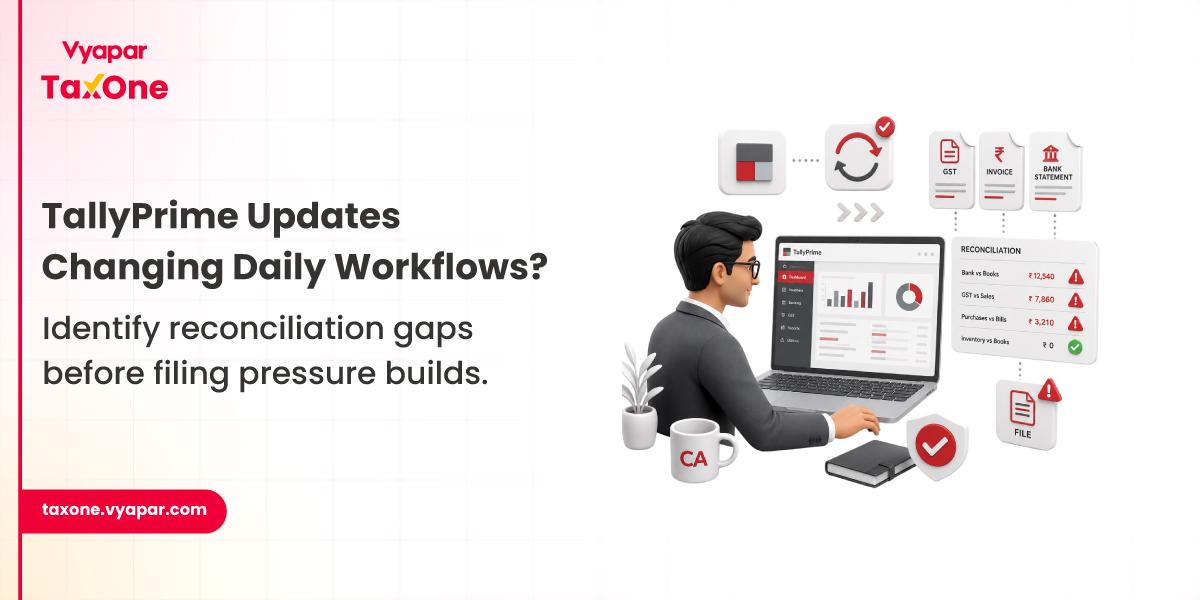
The Problem Usually Starts During Routine Accounting Cycles
Most accounting teams do not struggle because software updates are difficult.
The actual problem starts after updates begin affecting existing workflows.
A simple version upgrade inside TallyPrime can quietly change:
In many CA firms, these changes are usually discovered only during month-end filing pressure.
By then, teams are already dealing with pending reconciliations, rejected invoices, and delayed approvals.
The releases of TallyPrime 3.0.1 and 4.0 introduced multiple operational changes.
The changes mostly impact:
For teams managing multiple clients, even small workflow changes often create downstream issues.
Recent updates inside TallyPrime introduced several changes that directly affect day-to-day accounting execution.
From an operational perspective, the biggest workflow changes include:
While these updates improve functionality, accounting teams often continue following older workflows.
This is where operational gaps usually begin.
From what accounting teams typically experience, most disruptions happen because existing processes are already dependent on manual intervention.
Common reasons include:
Software updates introduce changes, but operational processes remain unchanged.
This is where workflow friction begins.
In many firms, manual dependency continues even after system upgrades, and small errors caused by common GST data entry mistakes often begin affecting reconciliation accuracy later in the filing cycle.
In most CA firms and finance teams, we usually see the following issues immediately after major accounting software updates.
Updated e-Invoice rules reject invoices because:
Teams often notice this only when invoices begin failing during submission.
Updated JSON exports sometimes create issues when:
Most reconciliation problems become visible only during filing week.
With Excel imports now being used more frequently:
This usually appears later during reconciliation checks.
The new WhatsApp invoice sharing and payment request systems improve communication.
But accounting teams now need additional payment verification because:
As a result, accounting teams often need an additional payment verification step before final ledger closure.
Many accounting teams already struggle with GST reconciliation workflows inside TallyPrime, even before software updates introduce new validation rules, making month-end review cycles more difficult.
A CA firm managing over 100 GST clients recently moved several businesses to newer versions of TallyPrime after updates introduced improved e-Invoice validation and revised GST reporting workflows.
During the first filing cycle, the team started noticing operational issues.
Because invoice validation rules had changed, multiple invoices started failing validation checks and required additional manual correction before portal submission due to:
At the same time, updated JSON export structures required additional manual verification before filing.
As a result:
In most CA firms, these workflow issues usually appear only after filing preparation begins, not during regular transaction entry.
A manufacturing business operating across multiple GST registrations recently adopted newer TallyPrime versions to begin using the new Excel import functionality introduced in recent updates.
Initially, transaction imports looked successful.
But during month-end reconciliation, the accounting team identified several execution gaps.
Because data was imported from different Excel sheets maintained by separate departments:
The biggest problem was that these issues were not visible during data import.
They only became visible later when the finance team started validating GSTR reports and matching transaction summaries.
As a result, month-end closing cycles took longer than planned, and manual review workload increased significantly.
This becomes more common when businesses adopt new system features without adjusting existing accounting workflows around them.
In accounting operations, certain patterns repeat regularly.
We often see this during month-end closing when teams are already under filing pressure.
Most issues do not appear during transaction entry.
They usually appear:
When multiple branches operate under separate GSTINs
Teams usually discover the problem too late.
As transaction volume increases, these issues become more frequent.
The current workflow in most firms typically looks like this.
Daily vouchers entered inside TallyPrime.
Teams manually check:
GST reports are exported manually.
Teams review mismatches separately.
Excel sheets used for:
Final validation happens. This is usually where delayed errors appear.
Before month-end filing cycles, teams should verify the following.
✔ GSTIN mapping verified
✔ State and pincode validation checked
✔ Dispatch details updated properly
✔ Invoice numbering reviewed
✔ JSON export validated
✔ zero-value sections checked
✔ HSN/SAC mapping reviewed
✔ GSTR summaries matched
✔ Duplicate ledger review completed
✔ Excel import mapping checked
✔ transaction logs reviewed
✔ voucher classifications verified
Most accounting teams do not face operational issues because the software is missing features.
The actual friction usually comes from disconnected execution.
Even after updates inside TallyPrime, teams often continue working through:
We regularly see these workflow gaps become more visible when transaction volume increases or compliance deadlines become tighter.
At this stage, teams usually begin reassessing how reconciliation, compliance tracking, and multi-client coordination are being handled internally.
As operational dependency on Excel, manual approvals, and disconnected validation grows, firms often start moving toward more structured accounting workflows.
This is where systems like Vyapar TaxOne naturally begin fitting into environments that need tighter execution control and reduced manual dependency.
Validation logic often changes while teams continue following old entry practices.
Most discrepancies stay hidden until final reconciliation begins.
Yes. Incorrect field mapping frequently causes duplication.
Communication channels and accounting records often update separately.
Separate branches create inconsistent transaction mapping across systems.
Because transaction review processes remain manual.


Get started today and simplify your accounting process!