Is Now Vyapar TaxOne | Same Trust, New Name!
 AI Weapon for Financial Soldiers



As a Chartered Accountant in India, managing your clients' financial data with precision and efficiency is important for providing top-tier services.
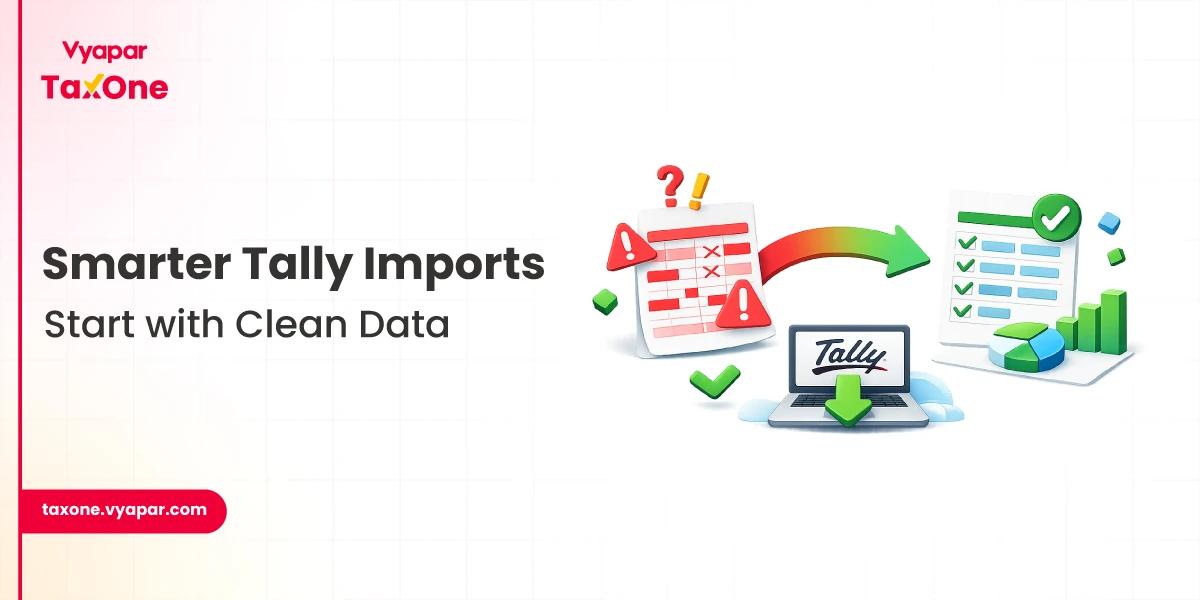
One of the most common tasks in accounting practices involves transferring large amounts of data from Excel spreadsheets to Tally for further processing and reporting. However, manual data transfer can be time-consuming, error-prone, and difficult to audit.
This is where automated services that handle complete Excel to Tally migration come into play.
We will explore various options and provide practical advice to help you make an informed decision on the right tool for your practice.
Data migration from Excel to Tally has always been a challenge for accounting professionals.
Tally is one of the most widely used accounting software in India, and transferring large volumes of data accurately into it is a critical part of every CA’s workflow.
This migration process can often be tedious, involving manual entry and substantial human effort. Errors, such as incorrect GST codes, missing entries, and incorrect ledger mappings, can lead to compliance risks and data inaccuracies.
Automating the migration process saves time, minimizes errors, ensures data integrity, and provides an audit trail, making it an indispensable tool for modern accounting firms.
Vyapar TaxOne is a cloud-based platform that offers a streamlined and automated approach to migrating data from Excel to Tally.
It is designed specifically for accounting professionals and businesses who require a seamless, error-free way to import large datasets into TallyPrime or Tally.ERP 9.
With its robust features, Vyapar TaxOne supports bulk data migration for various types of transactions, including ledgers, vouchers, sales, purchases, bank statements, and inventory.
It also offers advanced mapping tools that automatically match Excel columns to the corresponding fields in Tally.
While Vyapar TaxOne stands out as a premier tool for migrating from Excel to Tally, other platforms also offer useful features. Let’s examine some alternatives that can be considered, depending on your specific needs.
Excel4Tally is a cloud-based tool designed to simplify Excel to Tally migrations. It is especially useful for smaller accounting practices looking for a budget-friendly solution to import ledgers, transactions, and other financial data into Tally.
Key Features:
Ideal For: Small to medium-sized accounting firms with basic data migration needs.
Quick2Tally specializes in bulk imports, including invoices, stock, and bank statements from Excel into Tally. It is particularly beneficial for businesses dealing with high-volume transactions, such as e-commerce or retail.
Key Features:
Ideal For: Accounting firms managing clients in high-volume transaction sectors like retail and e-commerce.
TallyConnects offers both manual and automated migration options from Excel to Tally. It also provides integration services for businesses using other software that need to sync their data with Tally.
Key Features:
Ideal For: Firms looking for integration capabilities with other software in addition to Excel to Tally migration.
TallyPrime itself has built-in tools to import data from Excel. This option is free of charge but might require more manual effort in data mapping.
Key Features:
Ideal For: Firms that are comfortable with Tally’s built-in tools and do not require advanced features.
Choosing the right service depends on your practice's size, the complexity of your clients’ financial data, and your budget. Here are some factors to consider when selecting a migration tool:
Manual entry often leads to errors in ledger mapping, GST codes, and voucher classifications. To mitigate this, use a tool that offers automatic mapping, such as Vyapar TaxOne, to minimize human errors.
With multiple clients and deadlines, manual data entry becomes a bottleneck. Services like Vyapar TaxOne streamline the process, reducing migration time by up to 80%.
For clients with complex data structures (e.g., inventory, multi-state GST), choose services like Quick2Tally that support advanced voucher types and multiple GST configurations.
Ensure that the service you use provides a detailed audit trail of all imported data. This will help you maintain accurate and verifiable records, which are essential for audits.
Migrating data from Excel to Tally doesn’t have to be a cumbersome and error-prone process. With the right tools, such as Vyapar TaxOne, you can automate the process, reduce human errors, and improve the efficiency of your practice.
For CAs in India, investing in the right Excel to Tally migration service is not just a time-saver but also a way to ensure compliance, accuracy, and scalability.
By adopting these tools, you can ensure a smooth and error-free migration of data, allowing you to focus on delivering value-added services to your clients.
To transfer Excel data to Tally, you can use tools like Vyapar TaxOne, which automate the mapping and migration process. Simply format your Excel file according to the tool's template, map the columns to Tally fields, and import the data directly.
Use migration tools like Vyapar TaxOne to automate the process. The tool ensures accurate mapping, validates data, and provides a seamless transfer of Excel data into Tally, delivering fast and error-free results.
An Excel to XML converter for Tally Prime allows you to convert your Excel data into an XML format compatible with Tally Prime. This XML file can then be imported directly into Tally Prime for efficient data migration.
To import data using Vyapar TaxOne, upload your Excel file, map the columns to Tally fields, validate the data, and then click to import. Vyapar TaxOne automates the entire process, saving time and reducing errors.
Yes, Vyapar TaxOne is ideal for bulk Excel to Tally migration, handling large volumes of data efficiently while ensuring accuracy and compliance with Tally’s formatting and reporting standards.


Get started today and simplify your accounting process!