In India, the Goods and Services Tax framework has simplified indirect taxation and brought uniformity across states. Every taxpayer registered under GST receives a GST Registration Certificate (Form GST REG-06), an official document issued by the Goods and Services Tax Network (GSTN).
As per Rule 18 of the Central Goods and Services Tax Rules, 2017, every registered person must obtain and display their GST Registration Certificate at their principal and additional places of business.
In this guide, we explain how to download your GST Certificate from the official GST Portal, step by step, along with verification tips, troubleshooting, and compliance best practices.
What Is a GST Registration Certificate?
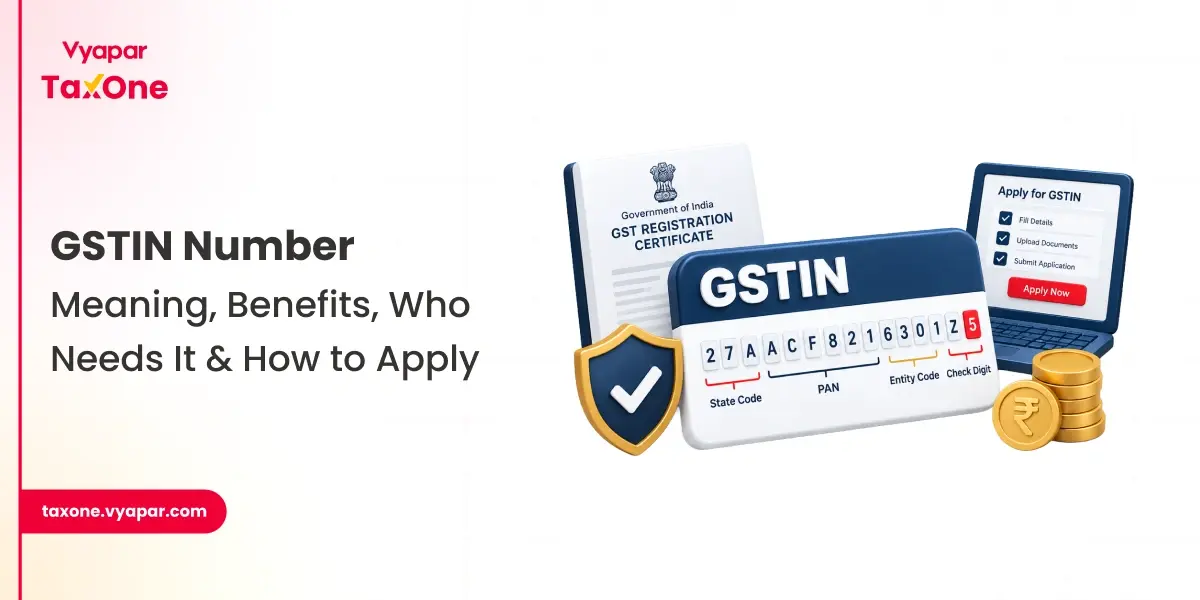
The GST Registration Certificate is a legal document confirming that a business or individual is registered under the GST law in India. It contains your Goods and Services Tax Identification Number (GSTIN) and key business details, such as your name, address, and the nature of your registration.
Why It Matters
- Acts as legal proof of GST registration.
- Mandatory for filing GST returns and claiming Input Tax Credit (ITC).
- Needed for vendor onboarding, tenders, and compliance audits.
- Strengthens business credibility and trustworthiness.
Who Needs a GST Certificate
You need a GST Registration Certificate if:
- Your annual turnover exceeds ₹40 lakh (₹20 lakh for services).
- You sell goods or services online through** e-commerce platforms**.
- You operate under the Composition Scheme.
- You voluntarily register under GST for tax credit benefits or to comply with the law.
💡 Every registered business, regardless of size, must download and display the certificate.
Prerequisites Before Downloading
Before downloading your GST Certificate, ensure:
- Your registration has been approved and is active on the GST portal.
- You have valid GST Portal login credentials.
- You’re using an updated browser (Chrome, Edge, or Firefox).
- A PDF reader is installed on your device.
Step-by-Step Process to Download GST Certificate
Step 1: Visit the GST Portal
Go to the official GST website: https://www.gst.gov.in.
Ensure the link starts with https to avoid phishing websites.
Step 2: Log in to Your Account
- Enter your Username, Password, and Captcha Code.
- Click Login to access your GST dashboard.
Step 3: Navigate to the Certificate Section

From the main menu, select:
Services → User Services → View / Download Certificates
Step 4: Download the Certificate
The screen displays all GST-issued certificates, arranged from newest to oldest.

- Click Download next to “Registration Certificate.”
- The certificate (Form GST REG-06) will be downloaded in PDF format.
Step 5: Verify the Certificate Details
Open the PDF file and cross-check:
- Legal Name of Business
- Trade Name (if applicable)
- Principal & Additional Business Locations
- GSTIN and Effective Date of Registration
- Type of Registration (Regular / Composition / Casual)
Quick Recap
- Go to gst.gov.in
- Log in with valid credentials
- Navigate: Services → User Services → View/Download Certificates
- Click Download
- Verify your business details in the PDF
How to Check the Validity of Your GST Certificate
To verify your GSTIN and certificate details:
- Visit https://www.gst.gov.in.
- Click Search Taxpayer → Search by GSTIN/UIN.
- Enter your GSTIN and click Search.
- Verify that the registration is active and the details match those on your certificate.
Alternatively, you can search the GST by PAN as well!
✅ This ensures your GSTIN is valid for invoicing, ITC claims, and vendor verification.
Understanding the Structure of the GST Certificate
The downloaded certificate (Form GST REG-06) includes:
- GSTIN and Legal Name
- Trade Name (if any)
- Constitution of Business
- Principal Place of Business
Part B – Additional Places of Business
- Lists all additional registered locations under the same GSTIN.
Annexures – Authorized Signatories
- Names and designations of partners, directors, or proprietors.
How to Reissue or Update a GST Certificate
If you’ve changed your business name, address, or constitution:
- Log in to the GST Portal → Services → Registration → Amendment of Registration Core Fields.
- Update the relevant details.
- Once approved, download the updated GST certificate again (Form GST REG-06).
Tip: Always use the latest certificate version for compliance and audits.
Common Issues and Troubleshooting
| Issue | Possible Reason | Solution |
|---|
| Login not working | Wrong credentials | Use “Forgot Password” to reset. |
| Certificate not available | Registration pending | Check application status under “Track Application.” |
| Site not loading | Browser cache issue | Clear cache or switch to Chrome. |
| Incorrect details | Outdated business info | File a “Core Field Amendment” form. |
⚙️ Tech Tip
For best results, use a desktop browser with JavaScript enabled. The GST portal’s full functionality may not be supported on mobile browsers.
🔐 Security Tip
Never share your GST portal credentials with unauthorized persons. Only download certificates from the government site to avoid data theft or misuse.
Best Practices for Managing Your GST Certificate
- Download and store a soft copy for backup.
- Display a printed copy at your business premises.
- Periodically verify your GSTIN online to ensure it remains active.
- Update business details promptly after any changes.
- Keep copies of certificates handy for audits or vendor registration.
Importance of Downloading the GST Certificate
- Legal Compliance: Mandatory under GST rules.
- Transparency: Enhances trust among clients and suppliers.
- Business Continuity: Required for registration with vendors, tenders, and banks.
- Tax Efficiency: Necessary for claiming ITC and filing returns accurately.
GST Registration Certificate in Minutes
Downloading your GST Registration Certificate from the GST Portal is a simple, fast, and essential step for maintaining compliance with Indian tax law.
By following the above steps, you can easily access and verify your certificate at any time, ensuring your business remains compliant, credible, and prepared for audits or vendor checks.
💼 Stay compliant. Stay transparent. Keep your GST Certificate updated and displayed at all times.
FAQs
Q1. What is Form GST REG-06?
Form GST REG-06 is the official GST Registration Certificate issued after approval. It contains your GSTIN and key business details.
Q2. Can I download the GST certificate without logging in?
No, login is mandatory to ensure security and authenticity.
Q4. Is displaying the GST certificate mandatory?
Yes. As per Rule 18 of the CGST Rules, all registered taxpayers are required to display the certificate at their principal place of business and at all additional business locations.
Q5. Can I download my certificate from a GST Suvidha Provider (GSP)?
Yes, authorized GSPs integrated with the GSTN can facilitate secure certificate downloads.
Also Read
Samkit Sheth is a Chartered Accountant with 13+ years of experience across finance, taxation, technology and analytics. He has worked with the Vyapar Group and a range of MSMEs, advising on tax compliance, financial reporting and the use of technology and data analytics in finance functions. He writes on GST, income tax and practical use cases of AI for Account, Audit & Tax Professionals.
Credentials: FCA, DISA (ICAI), Cert. FAFD, Cert. AICA (Level 1 & 2)
Designation: Chartered Accountant
 Is Now Vyapar TaxOne | Same Trust, New Name!